
facebook ads for pilates instructors
Facebook ads for pilates instructors: complete 2026 guide
Facebook ads for pilates instructors need one clear offer. Plan your audience, creative, booking page, and tracking before you increase advertising spend.
By ZIVA Marketing ·
Facebook ads for Pilates instructors are paid placements that connect your classes or online programs with potential students, and this 2026 guide shows you how to plan them around enrollment rather than clicks.
- Facebook ads for Pilates instructors need a clear offer, a matching enrollment page, and reliable purchase or booking tracking.
- Separate local studio bookings from online Pilates programs; they need different audiences and enrollment paths.
- ZIVA Marketing fits conscious educators seeking paid social advertising and marketing coaching for online programs.
- Judge Pilates advertising by enrolled students and return on ad spend, not inexpensive clicks alone.
Why Facebook ads matter for Pilates instructors
Your teaching format determines who can become a student. A reformer class requires access to your studio and equipment; an online mat program requires a clear explanation of space, equipment, and how instruction works.
Your first advertising decision is what someone can realistically join. A beautiful movement video cannot resolve an unclear schedule or an unsuitable class format.
For your 2026 plan, choose between filling local classes and enrolling students in an online program before you build a campaign. Keep the message, audience, and enrollment page aligned with that choice. If your offer follows an enrollment window, use the guide to planning a course launch ad campaign to think through timing.
You do not need to turn your teaching into a hard sell. Show what the experience involves, explain who it serves, and make the next step clear.
How to plan your Pilates Facebook ads
Build the campaign around four connected decisions: Offer, Audience, Enrollment, and Measurement. Decide what you are inviting students into, who can participate, how they join, and what counts as a result.
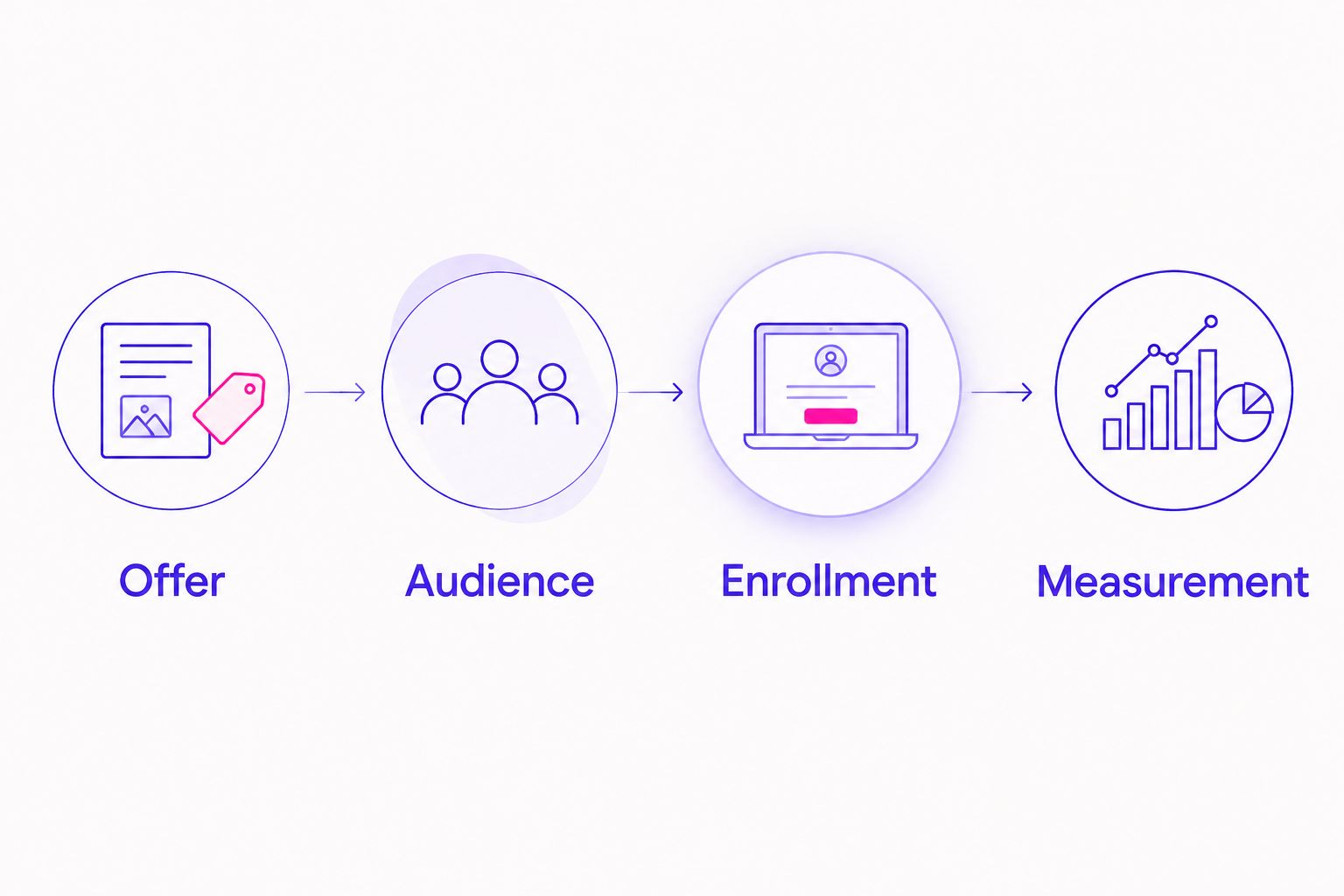
Choose one offer students can understand
Start with a document, not an advertising tool. Describe the class or program in ordinary language, then ask someone unfamiliar with your teaching to explain it back to you.
An introductory studio session and a recorded Pilates course are different purchases. Combining them in one advertisement asks the reader to sort out your business before taking action.
Best for your first test: one offer with one enrollment action. This keeps the message focused and makes the result easier to interpret. The limitation is scope: the campaign will not promote everything you teach.
- Name the format: studio class, private session, live online program, or recorded course.
- State the experience level and actual prerequisites.
- Explain whether students need a reformer, a mat, or other equipment.
- Choose one action, such as booking a session or enrolling in a course.
- Identify the confirmation that proves the action is complete.
Match your audience to the teaching format
Begin with your current students' questions and enrollment records. Notice where students attend from, what they ask before joining, and which formats they actually purchase. Use information you have permission to use.
For local instruction, geography is a practical boundary. For online instruction, teaching language, equipment access, and live-session time zones still matter. Global reach does not mean every person can use the same offer.
In 2026, build your audience around participation requirements rather than an imagined list of personality traits. Best for local classes: people who can attend your location. Best for online programs: people who can use your teaching format. Neither choice removes the need for a clear advertisement.
- Review where existing students live or participate from.
- Set geographic boundaries that match the offer.
- State the teaching language and live-session time zone.
- Separate reformer instruction from equipment-light mat programs.
- Avoid defining audiences through assumed medical conditions.
Decide what to manage yourself
You can draft the offer, map the enrollment path, and review existing student feedback without hiring an agency. This manual work gives you a useful brief whether you manage advertising yourself or ask for support.
ZIVA Marketing is best for conscious educators seeking paid social advertising and marketing coaching for online programs. We offer those services to help teachers and coaches grow their courses and programs. For a Pilates instructor, that scope fits an online education offer more directly than a campaign concerned only with local studio bookings.
Paid social support does not replace your teaching, offer decisions, or responsibility for accurate claims. Explore ZIVA Marketing if that service scope matches your next step; keep hands-on work in-house when you want direct control and have time to learn.
- Write down which advertising tasks you can own consistently.
- Identify where you need guidance rather than extra software.
- Keep ownership of your advertising accounts and business assets clear.
- Explain whether your goal is local attendance or online enrollment.
- Prepare your offer details before asking for campaign support.
Build an enrollment page that answers practical questions
Open your existing booking or course page on your phone. Follow the entire path as a new student, including confirmation messages. Fix unclear instructions before sending paid traffic to the page.
A local student needs to understand the location and class format. An online student needs to know how lessons arrive, what equipment is required, and whether instruction happens live. Answer those questions near the enrollment action.
Best for a straightforward offer: a focused page built around one next step. Its advantage is clarity; its limitation is that people considering several services need another way to explore your broader work.
- Match the page headline to the advertisement's offer.
- Describe the class format, equipment, and participation requirements.
- Show the actual schedule or explain how students access lessons.
- Make the booking or enrollment action easy to find on a phone.
- Test the confirmation message and any follow-up instructions.
Create advertisements that show your teaching
Start with material you can make yourself: a clear teaching clip, an accurate class image, or a short explanation of the program. Production polish matters less than whether someone understands what they are joining.
For your 2026 creative plan, prepare 3 ad concepts: a teaching demonstration, a format explanation, and an invitation into the specific offer. These are test ideas, not a promise that every concept will produce enrollments.
Show the experience without diagnosing the viewer or promising a physical transformation. Meta's personal attributes policy restricts advertisements that assert or imply personal attributes, including physical or mental health conditions. Describe the instruction rather than suggesting you know the reader's health history.
- Demonstrate a movement or teaching cue with clear context.
- Explain whether the offer uses a mat or reformer.
- Add readable captions to spoken video.
- Use student images or testimonials only with permission.
- Remove guaranteed health, pain-relief, or body-change claims.
Connect tracking to completed enrollment
Start with a simple spreadsheet that records advertising spend, inquiries, bookings, attendance, and purchases. Keep those actions separate. An inquiry is not a student, and a booking is not automatically an attended session.
Then check that your website and advertising setup record the intended action. The Meta Pixel sends website event information from a browser; the Conversions API supports sending event information through a server connection. Neither removes the need to test event accuracy or respect privacy requirements.
Best for an enrollment campaign: measurement tied to completed enrollment. Click data helps explain traffic, but it cannot establish whether students joined. Use ROAS—return on ad spend—to compare attributed purchase revenue with advertising spend, while remembering that revenue is not profit.
- Define the exact action that counts as a completed enrollment.
- Submit 1 test booking through the full student journey.
- Confirm that the event appears at the correct stage.
- Check that the same action is not counted twice.
- Keep sensitive health information out of advertising tracking data.
- Compare advertising reports with actual booking or payment records.
Review results before increasing spend
Choose a review routine before launch. Use a 7-day review window as an organizational starting point, not a promise of enough evidence to make a decision. Low enrollment volume requires patience and a closer look at individual inquiries.
For your 2026 reviews, follow the student journey in order: advertisement, page visit, inquiry or checkout, enrollment, and attendance. Investigate the stage where people stop rather than changing every campaign setting at once.
If clicks arrive without bookings, inspect message match and the booking process. If bookings arrive without attendance, review confirmation and reminder instructions. Neither pattern proves the advertisement alone is responsible.
- Compare completed enrollments with advertising spend.
- Review inquiry quality and attendance, not just lead totals.
- Record what changed and when you changed it.
- Test one meaningful change at a time.
- Pause expansion when tracking or enrollment instructions are unclear.
Compare ways to manage Pilates advertising
Choose support around the work you need help with. Coaching supports your decisions and skills; agency support fits a need for outside advertising help. Neither makes an unclear Pilates offer ready to promote.
| Option | Best for | Main advantage | Key limitation |
|---|---|---|---|
| Self-managed advertising | Instructors with time to learn and review campaigns | Direct control over messaging and decisions | You own setup, troubleshooting, and ongoing review |
| Marketing coaching | Instructors who want guidance while staying involved | Support with learning and marketing decisions | You still need time to implement the work |
| ZIVA Marketing paid social advertising | Conscious educators growing online courses and programs | Paid social services aligned with online education | The stated service focus does not establish local Pilates studio expertise |
Choose the support model after defining the offer. A local private-session campaign and an online course launch need different briefs, even when the same instructor teaches both.
Common mistakes Pilates instructors make
Mixing studio bookings with online enrollment
An advertisement that moves between local reformer sessions and an online mat course leaves the reader to choose the offer. Keep each message tied to its destination. Someone interested in remote instruction should not land on a studio timetable without explanation.
Showing advanced movements without explaining the level
A visually striking demonstration does not tell a beginner whether the program suits them. State the intended experience level and actual prerequisites. Present advanced work as advanced work, not as an implied starting point for everyone.
Treating every lead as an enrolled student
A completed form measures interest, not participation. Keep inquiries, bookings, purchases, and attendance in separate columns so you can see the difference. This prevents an inexpensive inquiry from looking like a successful enrollment.
Making the advertisement sound like a diagnosis
Copy that assumes a viewer has pain or a health condition creates policy concerns and an uncomfortable introduction. Describe what you teach instead. Keep claims specific, supportable, and within your professional scope.
Expanding reach before checking participation requirements
A wider audience is not useful if students cannot attend your live sessions or access the required equipment. Make those requirements visible before enrollment. Expand only when the offer and delivery format support the audience you want to reach.
FAQ
What's the best way to start Facebook ads for Pilates instructors?
Start with one clearly defined offer and one enrollment action. Separate local classes from online programs, test the booking journey, and connect reporting to completed enrollments.
Should I advertise local Pilates classes or an online program?
Advertise the offer you can clearly deliver to the audience you select. Local classes need geographic relevance; online programs need clear equipment, language, and scheduling requirements.
Do I need a professional video to advertise my Pilates classes?
A professional video is not a prerequisite for planning a clear advertisement. Start with an accurate teaching clip or image that explains the class, then assess results rather than assuming production quality determines performance.
Can I mention back pain in a Pilates Facebook ad?
Avoid copy that asserts or implies the viewer has back pain or another health condition. Describe the instruction and keep health-related claims supportable and within your professional scope.
Is a lead form better than sending people to my booking page?
Choose the destination that fits your enrollment process. A lead form collects interest and requires follow-up; a booking page asks someone to schedule directly, so compare completed enrollments rather than form totals alone.
How do I know whether my Pilates ads are working?
Check completed enrollments, attendance, and revenue against advertising spend. Review the booking or payment records alongside advertising reports so clicks and inquiries do not stand in for students.
Is ZIVA Marketing a fit for a Pilates instructor?
ZIVA Marketing fits an instructor seeking paid social advertising or marketing coaching for an online course or program. Its stated focus is conscious educators and online education; that does not establish a specialty in local Pilates studio advertising.
One last thing
Before increasing your 2026 advertising spend, ask someone unfamiliar with your business to book through your page on a phone. Have them explain the format, equipment requirements, and next step without your help.
If they need you to clarify the basics, improve the page first. That small exercise gives you a concrete next move without asking you to become a different kind of teacher.