
clickfunnels meta ads coaching offers
ClickFunnels to Meta ads: 2026 workflow for coaching offers
For clickfunnels meta ads coaching offers, track completed actions first. Connect your funnel, verify lead events, and separate applications from confirmed sales.
By ZIVA Marketing ·
Instead of manually matching ClickFunnels sign-ups to Meta ads, connect your coaching funnel to verified conversion events so you can distinguish page visits, completed applications, and purchases.
- For clickfunnels meta ads coaching offers, verify completed actions before launching campaigns.
- ClickFunnels captures registrations; Meta Events Manager checks whether those actions reach your dataset.
- Use Lead for completed submissions and Purchase only for confirmed transactions.
- ZIVA Marketing provides paid social advertising and marketing coaching for spiritual teachers, healers, and coaches.
Why this matters
A funnel visit is not a coaching inquiry. An inquiry is not a booked call, and a booked call is not an enrollment. Your tracking should preserve those distinctions rather than treat every interested visitor as a customer.
In 2026, the useful ClickFunnels-to-Meta workflow connects an ad to a published funnel, records the completed action, and checks that action in Meta Events Manager before you spend on the campaign.
ZIVA Marketing is best for spiritual teachers, healers, and coaches seeking paid social advertising and marketing coaching. At ZIVA Marketing, we help those businesses grow their online courses and programs. This guide explains the tracking decisions behind that work without promising a particular ROAS.
You do not need every integration at once. You need a clear conversion definition and a working way to record it.
Before you start
- Gather account access. You need permission to edit and publish the ClickFunnels funnel, manage the relevant Meta dataset in Events Manager, and create campaigns in the correct ad account. A dataset is the destination where Meta receives your event information.
- Prepare the completed-action path. Have the published landing page, form, confirmation page, and checkout or booking destination ready. Write down which system confirms each action; a booking handled elsewhere needs confirmation from that booking system.
- Check your ClickFunnels version and data boundaries. This guide names the classic funnel-level Settings and Head Tracking Code fields. Other versions use different installation paths. Use your version’s documented tracking location, honor required consent, and never send sensitive coaching answers to Meta.
The quiet setup problem is a confirmation page that anyone can open directly. If opening that page triggers a conversion, a bookmark or refresh can look like a new inquiry. Choose a submission-based trigger whenever your implementation supports it.
Choose the tracking route
The Meta Pixel sends events from the visitor’s browser. Meta’s Conversions API sends events from a server or supported integration. They are different delivery routes, not different definitions of a lead.
For your 2026 setup, choose the route you can verify and maintain. Start with a correctly implemented browser event; add server delivery only with a supported connection and clear ownership. Neither route replaces consent or Meta’s data restrictions.
| Tracking route | Best for | Advantage | Limitation |
|---|---|---|---|
| Meta Pixel | Coaches establishing browser-based funnel tracking | Lets you inspect page and action events during a browser test | Browser restrictions and consent choices affect collection |
| Meta Conversions API | Teams with a supported integration and technical ownership | Sends supported events without depending entirely on a browser script | Requires correct event mapping, permitted data, and duplicate-event handling |
Using both routes requires deduplication: Meta needs to recognize that a browser event and a server event describe the same action. Matching event names and event identifiers are central to that process.
Do not add a second connection just because it sounds more complete. A duplicated lead is still incorrect data.
Define your conversion map
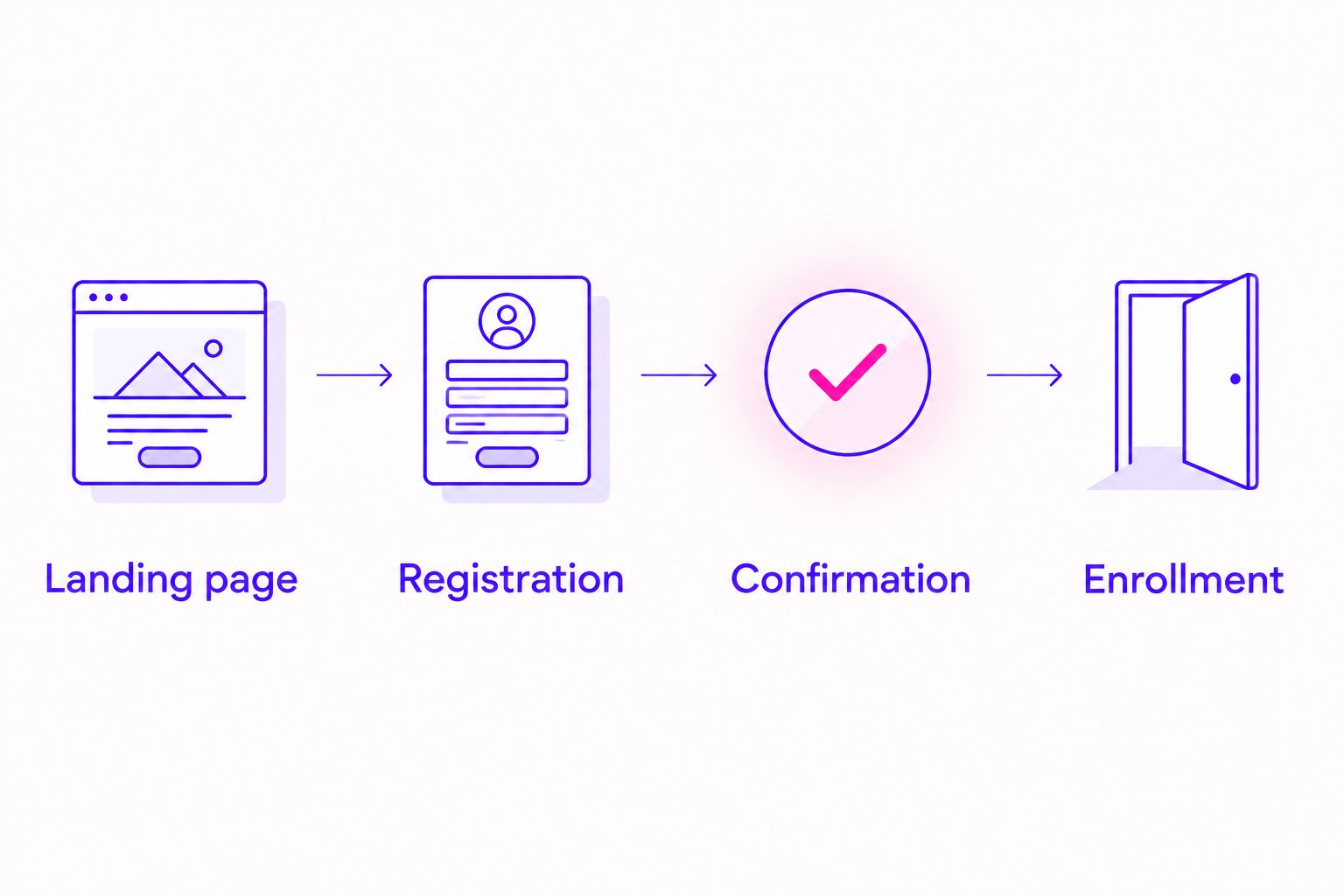
- Write the journey. List the actual steps a visitor takes: Landing page, Registration, Confirmation, and Enrollment. Include an external scheduler if the visitor leaves ClickFunnels to book.
- Assign one meaning to each action. Use PageView for a loaded page, Lead for a successfully submitted inquiry, and Purchase for a confirmed transaction. Use Schedule for a confirmed appointment when your booking connection supports that standard event.
- Identify the source of confirmation. Record whether the form, scheduler, or checkout confirms success. A button click expresses intent; it does not prove completion.
- Separate your offers. Give each funnel a clear internal name. Keep sensitive information out of event names, parameters, and page addresses used for tracking.
Expected result: You have a written event map that connects each event to a completed action and its confirming system.
For an application funnel, Lead should mean the application was submitted successfully. It should not mean the visitor reached the application page. For a direct course checkout, Purchase should mean payment succeeded, not that the visitor opened checkout.
Keep free-text application answers inside the systems that need them. Health history, trauma experiences, fertility information, and similar disclosures do not belong in advertising event payloads.
The diagram below follows the visitor journey, not a promise that every visitor will enroll.
Configure your funnel tracking
- Open Meta Events Manager. Select the dataset intended for this coaching offer. Confirm that the ad account you will use has access to it before installing anything.
- Obtain the Meta Pixel base code. Use the website connection instructions in Events Manager. Copy the code supplied for that dataset rather than borrowing a script from another business or funnel.
- Install the base code once. In classic ClickFunnels, open the funnel’s Settings, find Head Tracking Code, and insert the supplied base code. Save your changes. If tracking is already installed through an integration, check that connection before adding another copy.
- Add the completed-action event. Place the event at the successful submission or transaction confirmation point. For a browser-based lead event, the standard call is
fbq('track', 'Lead');after the base code has initialized and the submission has succeeded. - Publish the affected pages. Test the published visitor experience, not only the editor preview. Confirm that any consent controls govern the tracking as intended.
Expected result: The published funnel loads the intended Meta Pixel, and the completed action triggers the event defined in your map.
Do not place Lead in a funnel-wide tracking field. That would turn unrelated page loads into leads. Keep the base code shared where appropriate and the action event attached to its actual completion point.
For a Purchase event, use the checkout’s confirmed transaction data and supported implementation. Do not insert guessed transaction information or label a coaching application as a purchase.
If you add Conversions API in 2026, use a documented connection that supports your ClickFunnels version. Verify its supported events before enabling browser and server delivery together. Keep access tokens out of public page code.
Verify the complete visitor journey
- Open the dataset’s Test events tab. Use Test events in Meta Events Manager to inspect the events received during your test. Follow its browser-testing instructions for your published page.
- Run 3 test journeys. First, visit without submitting. Second, complete the form successfully. Third, revisit the confirmation page. These are a recommended setup check, not a traffic benchmark.
- Compare the event sequence. The visit-only test should not produce a Lead. A successful submission should represent 1 completed inquiry, even if the action is delivered through both browser and server routes.
- Check the details. Confirm the event name, receiving dataset, and available delivery information. If both delivery routes are active, verify that Meta treats the matching events as one action.
- Open Diagnostics. Review Diagnostics in Events Manager and address the relevant warnings. Check your form or checkout records alongside Meta’s test results.
Expected result: You can explain why each event appeared and prove that an incomplete journey does not count as a completed conversion.
Test with consent granted where required, then test the refusal path separately. The refusal path should follow your consent rules, not reproduce the granted-consent event sequence.
For a 2026 launch, repeat this check after changing a form, confirmation page, checkout connection, or tracking installation. A previously working funnel does not establish that a newly edited funnel still records the same action.
Configure the Meta campaign
- Open Meta Ads Manager and select Create. Choose Leads for a coaching inquiry workflow or Sales for a purchase workflow. Match the objective to the completed action you verified.
- Choose Website as the conversion location. At the ad set level, select the intended Dataset and Conversion event where those settings are available for your chosen setup.
- Use the verified event. Select Lead for the completed application or Purchase for the confirmed checkout. Do not select Purchase merely because enrollment is your eventual business goal.
- Enter the published landing page. Send the ad to the start of the funnel, not the confirmation page. Check the destination on a phone and complete the same journey your prospective client will take.
- Add clear campaign labels. Use campaign, ad set, and ad names that identify the offer and creative. If you add campaign parameters to the destination, ensure the page still loads and submits correctly.
Expected result: Your ad sends visitors to the correct funnel and uses the verified completed action as its conversion event.
A Leads campaign does not establish lead quality by itself. Review the inquiries in your customer records and distinguish submitted applications, qualified applicants, booked calls, and enrolled clients.
ROAS means return on ad spend: attributed revenue divided by advertising spend. Do not read a lead count as ROAS. Your enrollment records provide the revenue evidence; the ad platform provides its own attribution view.
Track confirmed bookings as a second workflow
A coaching offer that sells through discovery calls needs an additional confirmation point. A ClickFunnels application and an appointment booking are separate actions, even when they happen minutes apart.
Keep Lead attached to the submitted application. Then connect the scheduler’s confirmed booking to Schedule through a supported event implementation. Opening the calendar or selecting a tentative time is not a confirmed appointment.
Use the same checks as the main workflow:
- Identify the system that confirms the booking.
- Trigger the booking event only after confirmation.
- Verify 1 confirmed booking against the scheduler’s record.
- Prevent a contact update from generating another booking event.
A canceled appointment also needs a clear status in your own records. An earlier booking event does not tell you whether the person attended or enrolled.
For your 2026 reporting, keep booked, attended, and enrolled stages separate. Start with the event you can verify; change campaign optimization only after the later-stage connection works correctly.
Troubleshooting
PageView appears, but Lead does not
Check whether the action event exists at the successful submission point. Confirm that the published page contains the saved implementation and that the base code initializes before the event call. Repeat the submission in Test events with the appropriate consent choice.
Lead appears before the form is submitted
Look for a Lead event in the funnel-wide tracking field or a rule attached to the landing page. Remove that trigger and attach Lead to confirmed submission instead. Retest the visit-only journey before restarting the campaign.
The same submission appears more than once
Inspect duplicate pixel installations, overlapping event rules, and confirmation-page reloads. If browser and server delivery both record the action, check matching event names and event identifiers. Keep one defined completion trigger rather than several competing triggers.
The dataset is missing in Ads Manager
Check that you selected the correct business and ad account. Confirm that the ad account has access to the intended dataset and that your own permissions cover campaign creation. Do not create a replacement dataset merely to bypass an access problem.
Meta lead totals differ from your application records
Separate event receipt from ad attribution. Events Manager shows received activity, while Ads Manager reports activity attributed under the selected reporting settings. Compare date ranges and time zones, then check direct visits, repeat submissions, consent choices, and duplicate triggers before changing the campaign.
Customize your workflow
Once tracking works, expand the workflow around the next decision your prospective client needs to make. A webinar registration needs different follow-up from a submitted coaching application.
For ZIVA Marketing paid social advertising work, the business goal is growth in courses and programs—not a larger pile of unnamed page events. Keep your reporting tied to those offers and their confirmed outcomes.
Build a consent-aware follow-up plan before adding audiences. Our guide to retargeting high-ticket coaching offers covers that next layer. Avoid audience names or rules that reveal sensitive personal information.
Choose one owner for tracking changes and one place to document the event map. That simple habit makes future edits easier to review.
FAQ
How do I connect ClickFunnels to Meta ads for coaching offers?
Install the intended Meta Pixel on your published funnel, trigger an event after the completed action, and verify it in Events Manager. Then select the same dataset and conversion event in your website campaign.
Should I use Lead or Purchase for a coaching application?
Use Lead for a successfully submitted coaching application. Use Purchase only when a transaction has been confirmed; an application is not an enrollment payment.
Do I need Conversions API for my ClickFunnels funnel?
Conversions API is a separate server-delivery route, not a requirement for installing browser-based Meta Pixel tracking. Add it through a supported connection with correct event mapping, consent handling, and deduplication.
Why does refreshing my thank-you page create another lead?
A page-load Lead trigger can run again when the confirmation page reloads. Use a successful-submission trigger with duplicate protection rather than treating every confirmation-page visit as a new inquiry.
Can I track discovery calls booked outside ClickFunnels?
Yes, through a supported event connection from the system that confirms the appointment. Track the confirmed booking separately from the ClickFunnels application and test both actions.
Can I send coaching application answers to Meta?
Do not send sensitive coaching application answers to Meta. Keep health, trauma, and other sensitive disclosures out of event parameters and tracked page addresses.
Can ZIVA Marketing help with paid social ads for coaching offers?
ZIVA Marketing provides paid social media advertising and marketing coaching for spiritual teachers, healers, coaches, and conscious business leaders. Its work focuses on growing online courses and programs.
One last thing
A confirmation page proves that a page loaded; it does not automatically prove that someone completed your form. That distinction is easy to miss and useful to fix.
Before your next 2026 campaign, ask someone who did not build the funnel to complete the visit-only, submission, and confirmation-revisit tests. Give them the written event map. If the results match, you have a clearer foundation for evaluating the ads.