
best free crm for coaching business
Best free CRM tools for coaching businesses in 2026
The best free CRM for coaching business owners is HubSpot for simple follow-up. Compare Zoho CRM and Bitrix24 by workflow, strengths, and trade-offs.
By ZIVA Marketing ·
HubSpot CRM is the best overall free CRM choice for a coaching business in 2026; Zoho CRM suits structured sales follow-up, while Bitrix24 suits teams that want sales and task management together.
- HubSpot CRM is the best free CRM for coaching business owners who need clear contact records and follow-up.
- Zoho CRM fits coaches who organize inquiries through a defined sales process.
- Bitrix24 fits coaching teams that want customer relationships and internal tasks in one workspace.
- ZIVA Marketing helps coaches with paid social advertising and marketing coaching, not CRM software.
Why this matters
You want to give prospective clients your attention without keeping every conversation in your head. A customer relationship management system, or CRM, gives those conversations a home: contact details, sales notes, and the next action.
For spiritual teachers, healers, and coaches, the goal is thoughtful follow-up—not making a personal relationship feel automated. Choose the system that helps you remember what someone needs and respond appropriately.
At ZIVA Marketing, we help spiritual teachers, healers, coaches, and conscious business leaders grow their online courses and programs through paid social advertising and marketing coaching. Your CRM serves a different role: organizing the relationships that marketing creates.
This 2026 guide compares three CRM options by coaching workflow, not by the length of their feature lists. Check each provider’s current free-edition terms before committing your business records.
What makes the best free CRM for a coaching business?
A useful coaching CRM should make your next step clearer. Use these criteria before comparing tools:
- Contact clarity: You can find someone’s details, conversation history, and interests without searching several places.
- Follow-up discipline: You can record the next action and see what needs attention.
- Sales visibility: You can distinguish a new inquiry from a booked discovery call or an enrollment decision.
- Practical setup: The system matches how you sell rather than requiring an elaborate process.
- Data control: You understand access permissions, export options, and which personal information belongs outside the CRM.
- Room to grow: You check whether the features you need later belong to the edition you intend to use.
A long feature list does not compensate for an unclear process. Start with the conversations you need to manage, then choose the software.
Best free coaching CRM options at a glance
| CRM | Best for | Standout capability | Key limitation |
|---|---|---|---|
| HubSpot CRM | Coaches building their first consistent follow-up process | Contact records connected to sales activity | Its wider platform takes discipline to keep simple |
| Zoho CRM | Coaches with a defined inquiry-to-enrollment process | Lead and deal organization | Setup requires clear decisions about records and stages |
| Bitrix24 | Coaching teams coordinating sales and internal tasks | CRM and task management in one workspace | Its broad workspace creates more setup choices |
These recommendations concern relationship and sales management. None should be treated as a substitute for evaluating course delivery, client confidentiality, or your email marketing needs separately.
1. HubSpot CRM: best coaching CRM for straightforward follow-up
HubSpot CRM organizes contacts, companies, deals, and sales activities. For a coaching business, that provides a place to connect a person’s inquiry with the conversation and next step that follow.
HubSpot CRM is best for coaches who want a clear starting point for managing prospective clients. Begin with contact records and follow-up tasks rather than trying to configure the wider platform immediately.
Where HubSpot CRM fits your coaching business
Picture an inquiry about your group program. You need to remember the person’s interest, whether you have replied, and whether a discovery call is the right next step.
Build your workflow around those questions. Keep sales stages tied to observable events, such as an application received or a call completed, rather than assumptions about someone’s readiness.
HubSpot CRM pros:
- Contact records give your sales conversations a central home.
- Deals help distinguish enrollment opportunities from general contacts.
- Tasks support explicit next actions instead of relying on memory.
- Its broader platform gives you additional functions to evaluate as needs change.
HubSpot CRM cons:
- The wider platform introduces choices that a solo coach does not need immediately.
- Access to a broader product family does not mean every function belongs to the free edition.
- It does not replace a deliberate process for course delivery or confidential client notes.
Best for: A solo coach or small coaching business establishing a repeatable sales follow-up habit.
For your 2026 setup, prioritize whether you can find a contact, understand the conversation, and identify the next action. Evaluate advanced features only after that works.
Verdict: Buy into HubSpot CRM as the default starting choice; keep the initial setup small.
2. Zoho CRM: best coaching CRM for a defined sales process
Zoho CRM organizes leads, contacts, accounts, and deals. Those record types suit a business that wants to distinguish early inquiries from active enrollment opportunities.
Zoho CRM is best for coaches who already know the steps between an inquiry and an enrollment decision. Its structure is most useful when your business can explain what each record and stage means.
Where Zoho CRM fits your coaching business
Consider a coaching program that uses an application followed by a discovery call. Your process needs to distinguish someone exploring the offer from someone actively discussing enrollment.
Define those distinctions before entering records. An application should move forward because something happened, not because a team member feels optimistic about the conversation.
Zoho CRM pros:
- Separate record types support clear distinctions between inquiries and sales opportunities.
- Deal organization gives enrollment conversations a defined place.
- Structured records encourage consistent information across your sales process.
- The wider Zoho product family gives you related tools to evaluate separately.
Zoho CRM cons:
- Lead, contact, and deal distinctions require an agreed process.
- Unnecessary fields create administrative work without improving follow-up.
- Features in other Zoho products should not be assumed to exist in your CRM edition.
Best for: A coach or enrollment team using a consistent application-to-call process.
Before adopting Zoho CRM in 2026, write a plain-language definition for every sales stage. If two stages mean essentially the same thing, combine them before building your workspace.
Verdict: Buy into Zoho CRM when your enrollment process is defined; wait if you are still deciding how you sell.
3. Bitrix24: best coaching CRM for sales and team tasks
Bitrix24 combines CRM functions with tools for tasks and collaboration. That makes it a distinct option when your challenge includes both prospective-client relationships and internal coordination.
Bitrix24 is best for coaching teams that want sales follow-up and team tasks in one workspace. The trade-off is scope: a broader workspace requires more decisions about how people should use it.
Where Bitrix24 fits your coaching business
A program launch involves conversations with prospective students and work behind the scenes. Your team needs to know who owns each sales follow-up without confusing those actions with launch preparation.
Keep those responsibilities distinct even when they live in the same system. A task to prepare a workshop is not an enrollment opportunity, and a prospective client should not disappear into a general project list.
Bitrix24 pros:
- CRM and task management sit within the same product.
- A shared workspace supports coordination between sales and operational work.
- It suits businesses that want to evaluate a combined approach rather than separate systems.
Bitrix24 cons:
- Its breadth creates more setup decisions than a contact-focused workflow needs.
- Combining different types of work requires clear naming and ownership.
- A solo coach seeking only a follow-up list has less reason to adopt that wider scope.
Best for: A coaching team coordinating enrollment conversations alongside internal delivery or launch tasks.
For a 2026 launch, agree where sales actions belong before inviting the team. Give every open enrollment conversation an owner, and keep project work in its designated area.
Verdict: Buy into Bitrix24 when combined team coordination is a real requirement; skip it for contact tracking alone.
How these CRM options were ranked
The ranking prioritizes contact clarity, follow-up discipline, sales visibility, practical setup, data control, and room to grow. It is a workflow-based recommendation, not a claim that one tool wins every feature comparison.
HubSpot CRM takes the default slot for coaches starting a consistent follow-up process. Zoho CRM serves a more defined sales structure, while Bitrix24 earns its place when team tasks belong in the same workspace.
At ZIVA Marketing, our work centers on paid social advertising and marketing coaching. This CRM comparison addresses how you organize prospective-client relationships; it does not promise a particular enrollment result or ROAS.
Set up your CRM around a real coaching conversation
Set aside 30 minutes for an initial workflow sketch before importing your full contact list. Use 5 sample contacts to check whether your proposed structure makes sense; these are setup recommendations, not software limits.
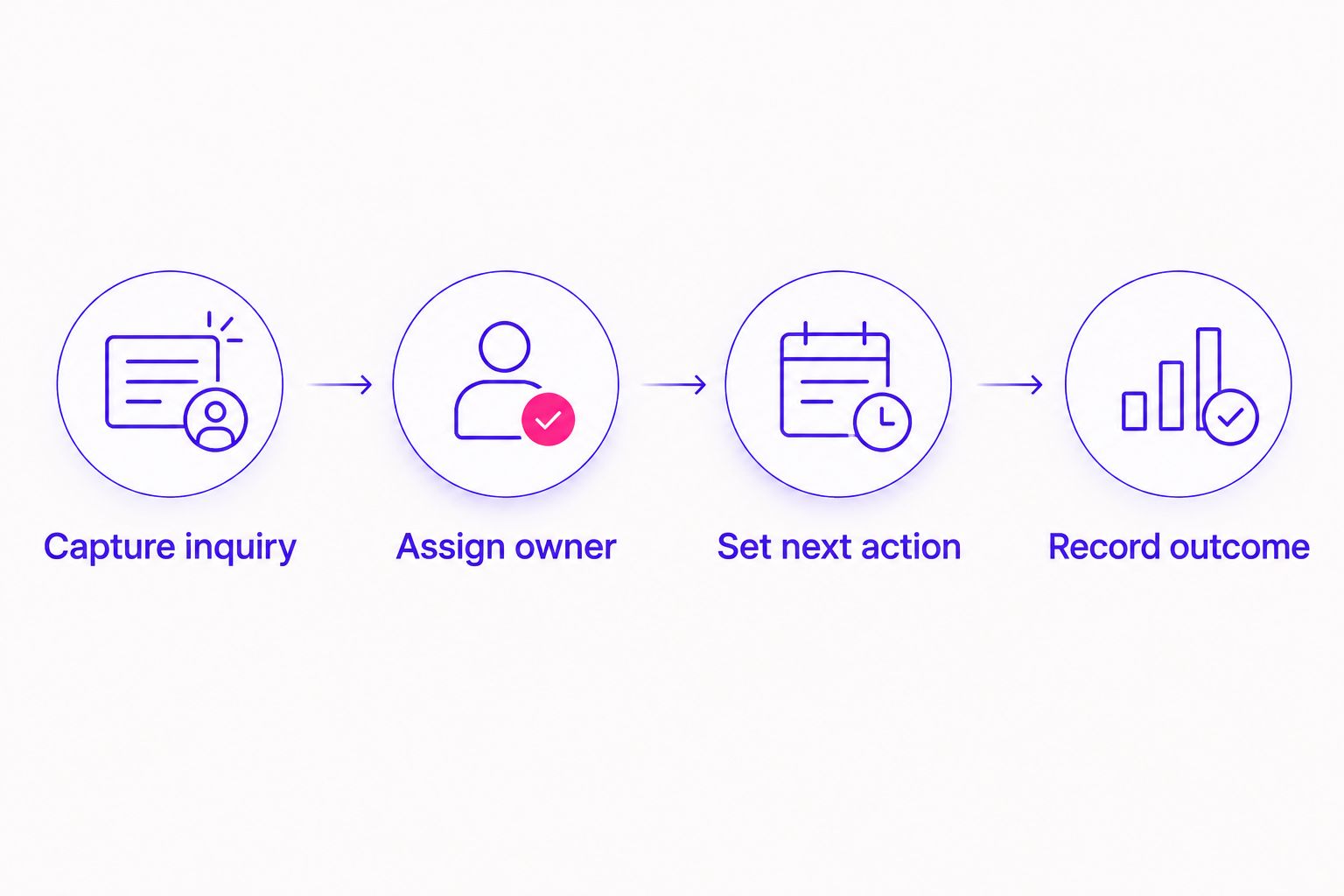
Build a simple sequence:
- Capture inquiry: Record the person’s contact details and stated interest.
- Assign owner: Name the person responsible for the conversation.
- Set next action: Record what should happen next and when.
- Record outcome: Update the result after the conversation or decision.
Give each sample contact a different situation: a new inquiry, an unanswered reply, a booked call, an enrollment decision, or a closed conversation. Confirm that you can tell these situations apart without opening several unrelated notes.
Schedule 1 review each week to check open conversations. Look for missing owners, overdue actions, duplicate records, and people who have already received a response.
Keep sensitive information separate
A sales record needs enough context to support respectful follow-up. It does not need detailed accounts of someone’s trauma, health history, spiritual experiences, or private session content.
For example, record that a person asked about program suitability rather than copying their full personal disclosure into a sales note. Evaluate any system used for sensitive information against your actual professional, privacy, and security obligations.
Connect marketing only after the basics work
Before connecting forms or advertising tools, decide how you will record lead source and enrollment outcomes. Then check the exact connection, permissions, and field mapping your chosen edition supports.
If you want to connect purchases with customer records, the guide to automatically tagging course buyers in your CRM addresses that next step. Keep purchase confirmation separate from an expression of interest: an inquiry is not a sale.
Which free coaching CRM should you choose?
Choose HubSpot CRM if you are undecided and need a practical starting point for contact management and follow-up. Choose Zoho CRM when a defined sales process matters most, or Bitrix24 when shared task management belongs beside your CRM.
In 2026, the decisive test remains simple: can you open a record and understand what should happen next? If you cannot, simplify your fields and stages before changing software.
Your next move is to build the sample workflow, not migrate everything at once. Keep what helps you serve people attentively and remove what creates work without clarity.
FAQ
What's the best free CRM for a coaching business in 2026?
HubSpot CRM is the default recommendation for a coaching business starting a consistent contact and follow-up process. Zoho CRM fits a defined enrollment process, while Bitrix24 fits teams combining sales and task management. Check current free-edition terms before committing.
Is HubSpot CRM better than Zoho CRM for a solo coach?
HubSpot CRM is the stronger starting recommendation when a solo coach wants straightforward contact management and follow-up. Zoho CRM is the more relevant choice when the coach already has clear distinctions between inquiries, qualified opportunities, and enrollment stages.
Can I manage coaching clients in a sales CRM?
Use a sales CRM to manage inquiries, enrollment conversations, and appropriate relationship information. Evaluate confidential session records, course delivery, and professional recordkeeping separately rather than assuming a sales CRM meets those needs.
Does a coaching CRM replace email marketing software?
A coaching CRM does not automatically replace email marketing software. Check whether your intended edition supports the specific audience permissions, campaign functions, and unsubscribe handling your business needs.
What information should a coach put in a CRM?
Start with contact details, stated program interest, lead source, conversation status, responsible person, and next action. Keep unnecessary sensitive personal information out of sales notes.
Can I connect a free CRM to Meta lead ads?
Check the exact connection supported by your CRM edition before planning a Meta lead ads workflow. Confirm how fields, permissions, and duplicate records will be handled, then test the connection before relying on it.
Does ZIVA Marketing provide CRM software?
ZIVA Marketing provides paid social media advertising and marketing coaching, not CRM software. The agency serves spiritual teachers, healers, coaches, and conscious business leaders growing online courses and programs.
One last thing
A next-action date is more useful than a vague label such as interested. The label describes your impression; the date tells you when to respond.
Before adding another field, check whether every open conversation has a clear next step. That small habit keeps your CRM connected to people rather than administration.