
best ad creative testing tools for coaching offers
Best ad creative testing tools for coaching offers in 2026
Find the best ad creative testing tools for coaching offers. Start with Meta Ads Manager, then add design and tracking tools to judge real enrollments.
By ZIVA Marketing ·
Meta Ads Manager is the best starting point for testing coaching ads in 2026; Canva supports creative production, Google Sheets organizes learning, and Google Analytics 4 adds website context.
- The best ad creative testing tools for coaching offers start with Meta Ads Manager for live campaign experiments.
- Canva helps coaches produce variations; it does not establish which ad generates better enrollments.
- Google Sheets keeps creative testing decisions connected to qualified applications and course sales.
- Google Analytics 4 adds website context, but its attribution differs from Meta’s reporting.
If choosing another tool feels like another task between you and your students, keep the setup small. You need a way to run the test, make the ads, and record what happened—not a collection of dashboards.
At ZIVA Marketing, we help spiritual teachers, healers, coaches, and conscious business leaders grow their courses and programs through paid social advertising and marketing coaching. ZIVA Marketing is best for coaching businesses seeking advertising support and marketing coaching rather than another software subscription.
Why this matters
A coaching ad introduces both an offer and a relationship. An attractive image alone cannot tell you whether someone understands your teaching, attends your webinar, or becomes a suitable client.
Creative testing means comparing ad messages or formats against a defined outcome. The tool matters, but the question comes first: are you testing what earns attention, what brings qualified applications, or what leads to enrollment?
Our guide to testing ad creative for coaching offers covers the process behind those decisions. This comparison focuses on the tools that support it.
What makes the best ad creative testing tools?
Use these criteria for your 2026 shortlist:
- Controlled comparisons: You can separate a creative change from changes in audience, offer, or destination.
- Relevant outcomes: Your reporting connects ads to the action your coaching business actually needs.
- Clear creative records: You can identify the hook, image, format, and message behind each result.
- Manageable production: You can create variations without rebuilding every asset.
- Useful handoffs: Your designer, campaign manager, and enrollment team can understand the same test.
- Honest limitations: The tool distinguishes production, campaign testing, and website reporting rather than treating them as interchangeable.
Choose the missing function, not the longest feature list. If you already create suitable ads consistently, another design tool does not solve unclear measurement.
Coaching ad testing tools at a glance in 2026
These tools fill different roles. The order starts with live campaign testing, then moves to production, recordkeeping, and website analysis.
| Tool | Best for | Standout capability | Key limitation |
|---|---|---|---|
| Meta Ads Manager | Testing Facebook and Instagram ads | Campaign reporting and A/B testing tools | Platform reporting does not replace enrollment records |
| Canva | Producing visual variations | Template-based design and video editing | Creating variants is not a performance experiment |
| Google Sheets | Maintaining a shared testing record | Flexible tables, formulas, and collaboration | Manual records require consistent upkeep |
| Google Analytics 4 | Understanding website journeys | Event-based website measurement | Attribution differs from ad-platform reporting |
1. Meta Ads Manager: best for live coaching ad experiments
Meta Ads Manager is the default choice when you advertise coaching offers on Facebook or Instagram. It brings campaign delivery and performance reporting into the same environment, with A/B testing tools for structured comparisons.
Start here before adding a specialist reporting product. A separate dashboard cannot correct an experiment that changes the audience, creative, and landing page together.
Meta Ads Manager pros:
- Runs the ads you are evaluating.
- Reports results at campaign, ad set, and ad levels.
- Supports structured A/B tests.
- Connects creative evaluation to your selected campaign outcome.
Meta Ads Manager cons:
- Reported conversions depend on measurement setup and attribution settings.
- Application quality and enrollment suitability require information beyond the ad account.
- Ordinary delivery across several ads is not the same as a controlled experiment.
Best for: Coaches already advertising on Facebook or Instagram who need to compare messages or formats in live campaigns.
For a webinar offer, keep the registration page and audience consistent while comparing distinct opening messages. For application-based coaching, review qualified applications alongside the platform’s lead results. A cheaper lead is not automatically a better prospective client.
Verdict: Use Meta Ads Manager first for live Meta creative testing.
2. Canva: best for producing visual ad variations
Canva helps you create image and video assets using a visual editor and templates. Its role in testing is production: turning a defined idea into clearly labeled variations that you can run through your advertising platform.
For example, compare an instructor-led image with a curriculum-focused image while keeping the written promise consistent. That gives the visual change a clear purpose.
Canva pros:
- Supports image design and video editing.
- Makes it practical to adapt a design for different placements.
- Helps you keep a consistent visual structure across variants.
- Gives collaborators a shared place to review designs.
Canva cons:
- Design output does not establish conversion performance.
- Changing several template elements together makes results harder to interpret.
- A polished template still needs an offer-specific message.
Best for: Coaches or small teams whose testing slows down because producing new assets takes too much effort.
Keep the teacher’s voice visible. A design should clarify who the program serves and what the next step involves, not bury the offer beneath decorative elements.
Verdict: Use Canva when creative production is the bottleneck; skip it as a measurement solution.
3. Google Sheets: best for keeping a creative learning record
Google Sheets gives you a shared record of hypotheses, creative names, results, and decisions. It is especially useful when your ad account reports leads but your enrollment process reveals which leads were suitable.
Build the sheet around decisions rather than copying every metric from a dashboard. Each row should explain what changed, what you observed, and what you will test next.
Google Sheets pros:
- Supports flexible columns and formulas.
- Lets collaborators maintain a shared record.
- Accommodates qualitative feedback from enrollment conversations.
- Keeps previous creative lessons accessible outside the ad account.
Google Sheets cons:
- Manual entry introduces opportunities for mistakes.
- Inconsistent naming makes comparisons difficult.
- The spreadsheet does not control ad delivery or establish causation.
Best for: Coaching businesses that need to connect campaign results with application quality and enrollment feedback.
Useful fields include the creative name, hypothesis, audience, destination, primary outcome, review date, and next decision. Keep sensitive applicant details out of the creative log; record the relevant qualification outcome instead.
Verdict: Use Google Sheets for testing memory, not as a substitute for campaign measurement.
4. Google Analytics 4: best for website journey context
Google Analytics 4 measures website activity through events, such as page views and configured form submissions. It helps you investigate what happens after someone leaves an ad and reaches your website.
Use campaign parameters—labels added to destination links—to distinguish traffic sources and creative versions. Keep those labels consistent with the names in your testing record.
Google Analytics 4 pros:
- Adds website behavior to your creative review.
- Supports measurement of configured website events.
- Helps compare traffic from different campaigns.
- Provides context beyond the advertising platform’s interface.
Google Analytics 4 cons:
- Reliable interpretation requires correct configuration.
- Consent choices and browser restrictions affect measurement.
- Its conversion attribution will not necessarily match Meta’s.
Best for: Coaches whose registration, application, or purchase journey takes place on a website they can measure.
If an ad attracts visits but few visitors complete the intended action, inspect the destination experience. Do not assume the creative alone explains the result.
Verdict: Add Google Analytics 4 for website diagnosis; skip it as a replacement for live ad experiments.
How these tools are ranked
This is a role-based ranking, not a claim that every tool performs the same job. Live campaign testing comes first because it evaluates ads in the environment where you spend your advertising budget.
Production, recordkeeping, and website analysis follow because they support that decision. The criteria favor clear comparisons and relevant outcomes—not the number of assets a tool can generate.
Build a small, useful testing workflow
For your 2026 testing plan, write the hypothesis before opening a design tool. A useful example is: “A curriculum preview will generate more qualified applications than a broad inspirational message.”
Use this sequence to keep the work focused:
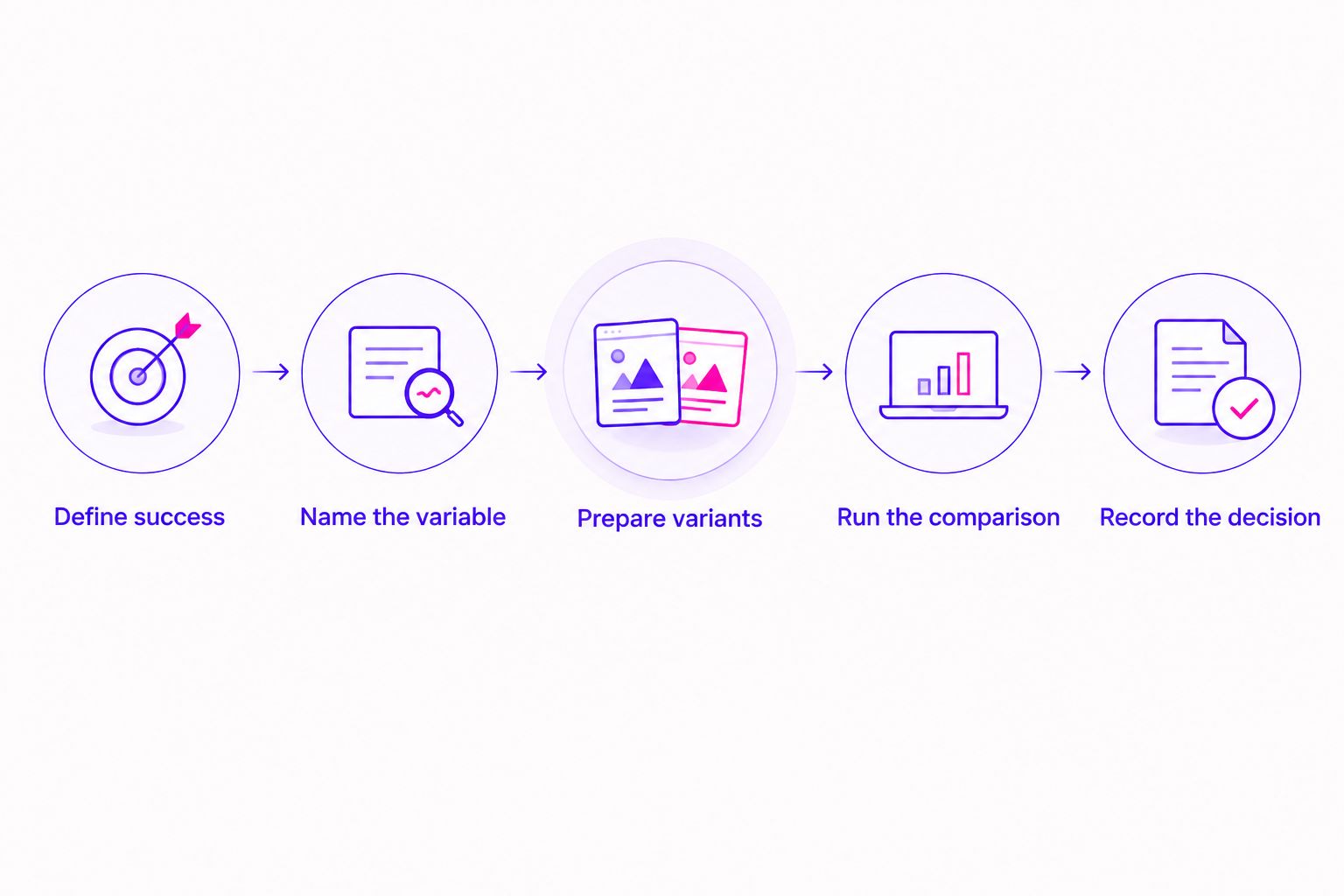
- Define success. Choose the outcome that matters for this offer, such as qualified applications or purchases.
- Name the variable. State exactly what differs between the creative versions.
- Prepare variants. As a starting exercise, make 2 creative variants that change 1 variable. This is a planning recommendation, not a statistical threshold.
- Run the comparison. Keep the surrounding conditions consistent and use the platform’s experiment tools where appropriate.
- Record the decision. Explain whether the evidence supports another test, continued use, or no clear conclusion.
Review the result at 3 stages: the ad response, the next-step completion, and the enrollment outcome. These are review categories, not minimum conversion requirements.
For a coaching offer, those stages might mean an outbound click, a completed application, and a suitable enrollment. Keep the stages separate so an attention-grabbing ad does not receive credit for an outcome it never produced.
When more creative helps—and when it does not
More variants help when you have a clear hypothesis and the capacity to evaluate them. More variants do not resolve a vague offer, missing tracking, or an application form that asks the wrong questions.
The distinction matters when evaluating AI Facebook ad generators: image production belongs upstream of the live experiment, while qualified applications and purchases remain downstream outcomes. Judge generated images by whether they express a useful test idea, not by how many images the tool produces.
Review every asset before publishing. Check that the promise matches the program, the imagery represents the experience honestly, and the language respects the people you serve.
For spiritual and healing offers, keep the message grounded in what you teach. Do not turn an aspirational image into an implied guarantee of personal transformation.
A larger creative library is useful only when you can explain what each variation is testing.
Keep measurement connected to enrollment
Before interpreting a 2026 result, confirm that your chosen event represents the intended action. A button click and a completed application are different events, even when they sit close together in the journey.
Then reconcile the campaign record with your actual enrollment process:
- Confirm that the form or purchase event fires at the correct step.
- Keep attribution settings consistent during comparisons.
- Separate qualified applications from all submitted applications.
- Record the time between the initial response and the eventual enrollment.
- Treat conflicting reports as a measurement question before declaring a creative winner.
ROAS means return on ad spend: attributed revenue divided by advertising spend. It answers a revenue question, not a profit question, and its usefulness depends on which revenue the report attributes to the ads.
At ZIVA Marketing, we offer paid social advertising and marketing coaching for course and program businesses. When you need support choosing the right question—not simply producing another variation—service support is a different decision from buying software.
Which creative testing tool should you choose?
Start with Meta Ads Manager if your coaching ads run on Facebook or Instagram. Add Google Sheets to preserve the learning, Canva if production holds you back, and Google Analytics 4 when website behavior needs closer examination.
For 2026, keep the default setup small enough that you can explain every tool’s role. You do not need every product in this list to begin a thoughtful comparison.
Choose ZIVA Marketing when you want paid social advertising and marketing coaching rather than another tool to manage. Software supports the process; it does not choose your offer’s most meaningful outcome for you.
FAQ
What’s the best ad creative testing tool for a coaching business?
Meta Ads Manager is the best starting point when your coaching business advertises on Facebook or Instagram. Use its reporting and experiment tools, then review qualified applications or purchases alongside platform results.
Can I test coaching ads with Canva?
Canva helps you create the assets for a test, but the live performance comparison happens in your advertising platform. Keep the design variations tied to a specific hypothesis.
Do I need a specialist creative analytics tool to start?
No, a specialist creative analytics tool is not a prerequisite. Start with campaign reporting and a clear testing record, then add software when you can name the reporting task it needs to solve.
How many ad variations should I test at once?
Start with a manageable comparison tied to one clear hypothesis. The number of variations should reflect your ability to support and interpret the test, not a universal rule about how many ads every coach needs.
Should I choose the ad with the cheapest leads?
Choose against your defined business outcome, not lead cost alone. For application-based coaching, compare qualification and enrollment outcomes before treating inexpensive leads as a success.
Why do Google Analytics 4 and Meta show different results?
Google Analytics 4 and Meta use different measurement and attribution approaches. Check event definitions, attribution settings, consent effects, and reporting periods before comparing their totals.
When should I get help instead of adding another tool?
Get support when the unclear part is the offer, experiment design, or interpretation rather than a missing software function. ZIVA Marketing offers paid social advertising and marketing coaching for spiritual teachers, healers, coaches, and conscious business leaders.
One last thing
Before making your next ad, finish this sentence: “If this version performs better, I will learn…”
If the answer is only that people preferred a different image, sharpen the question. A useful test teaches you something about how prospective students understand your offer—and gives you a clear next step.