
activecampaign meta ads integration
ActiveCampaign to Meta ads: sync subscribers to custom audiences
Use the ActiveCampaign Meta ads integration to sync eligible subscribers, remove contacts, and exclude buyers. Build and test clear audience rules.
By ZIVA Marketing ·
Instead of exporting subscribers by hand, use an ActiveCampaign Meta ads integration to add eligible contacts to a customer-list Custom Audience and remove them when their eligibility changes.
- Use the ActiveCampaign Meta ads integration for audience membership, not purchase tracking or guaranteed ad delivery.
- Create separate rules for adding subscribers, removing ineligible contacts, and excluding existing buyers.
- Check advertising permissions before uploading contacts; email subscription alone does not establish permission for audience matching.
- ZIVA Marketing provides paid social advertising and marketing coaching for spiritual teachers, healers, and course creators.
Why this matters
Your email list changes while your ads keep running. Someone registers for a webinar, buys your course, or withdraws permission to use their information. A spreadsheet upload captures a moment; an automation responds to a defined change.
ZIVA Marketing is best for spiritual teachers and coaches seeking paid social advertising and marketing coaching for their online programs. This guide focuses on the audience connection itself, so you can separate technical setup from campaign decisions.
At ZIVA Marketing, we help conscious business owners grow their courses and programs through paid social advertising and marketing coaching. For your 2026 setup, keep the first workflow narrow: one eligible subscriber group, one audience, and a clear removal rule.
A Custom Audience matches customer information against Meta accounts. An accepted upload does not mean every subscriber matches, and a match does not guarantee that person sees an ad.
Before you start
- Accounts and access: Have permission to edit ActiveCampaign automations and manage audiences in the correct Meta ad account. Confirm that your ActiveCampaign account exposes the Facebook Custom Audiences actions before building the workflow.
- Eligible contact information: Prepare email addresses you are authorized to use for advertising audience matching. Document the applicable permission or lawful basis, and keep sensitive information out of audience names and uploaded fields.
- The easy-to-miss gotcha: An add action does not create a removal rule. Build removal separately, and plan how existing contacts will enter the automation; a new trigger event does not automatically replay past events.
Do not upload lists that reveal health conditions, religious beliefs, or other sensitive information prohibited by Meta's terms. This matters especially for spiritual and wellness businesses. A neutral audience name does not make an otherwise prohibited list acceptable.
Choose the audience rules
Start with 2 audiences if you need subscriber retargeting and buyer exclusions. Keep their purposes separate so a purchase can change advertising eligibility without changing the contact's email subscription.
The following workflows complement each other. Neither replaces a review of your permissions and Meta's customer-list requirements.
| Workflow | Best for | Benefit | Limitation |
|---|---|---|---|
| Subscriber addition | Eligible newsletter or webinar subscribers | Sends eligible contacts into a defined retargeting audience | Requires a separate exit rule; matching is not guaranteed |
| Subscriber removal | Contacts who no longer meet your advertising rules | Requests removal when eligibility ends | Depends on a reliable trigger and Meta processing |
| Buyer exclusion | Customers who already own the advertised program | Separates buyers from acquisition messaging | Needs a dependable purchase signal and an actual campaign exclusion |
For a 2026 course launch, define eligibility before touching the automation builder. Decide which signup qualifies, which purchase ends the sales message, and which permission change requires removal.
Use neutral internal labels such as ads_eligible and program_buyer. These are example tags you create, not built-in ActiveCampaign fields. A tag records a decision; it does not prove permission.
Account connection and audience destinations
Connect the correct accounts
- Open Automations in ActiveCampaign and create a new automation from scratch.
- Add the Add to Facebook Custom Audience action. Authorize the Facebook connection when prompted, using a login with access to the intended advertising assets.
- Select the correct ad account and destination Custom Audience in the action's selectors. Compare the account identifier with the account you use in Meta Ads Manager.
- Save the action configuration before adding more workflow branches.
If the action is absent, stop here. Check your account's available integrations and permissions rather than building a workflow around an unavailable action. Avoid switching to an unfamiliar connector just to bypass an access problem.
Expected result: The action retains the intended ad account and audience after you reopen it. This confirms the destination configuration, not successful contact matching.
Prepare neutral audience names
In Meta's Audiences area, prepare the customer-list destinations required by your workflow. If account terms require acceptance, have an authorized account owner review them before uploading contacts.
Choose names that describe operational purpose without exposing sensitive characteristics. For example, Program subscribers 2026 describes a workflow destination; it should still contain only contacts eligible for that use.
Record the audience name and identifier beside the automation name. Similar names across client accounts make destination mistakes harder to spot.
Expected result: Each automation has one documented destination that another team member can identify without guessing.
Subscriber entry and audience addition
Define the entry trigger
- In the automation builder, choose Tag is added as the start trigger.
- Select your example
ads_eligibletag. Apply that tag only after your eligibility checks pass. - Configure repeat entry deliberately. Allowing a contact to enter again supports renewed eligibility, but only if your other automations cannot repeatedly reapply the same tag without a meaningful change.
- Place the configured Add to Facebook Custom Audience action after the trigger.
If different forms collect different permissions, do not treat every new contact as eligible. Route each signup through the same permission check before applying the advertising tag.
A simple workflow has four parts: Eligibility check, Entry trigger, Audience addition, and Removal rule. The last part belongs in a separate automation so it can respond independently.
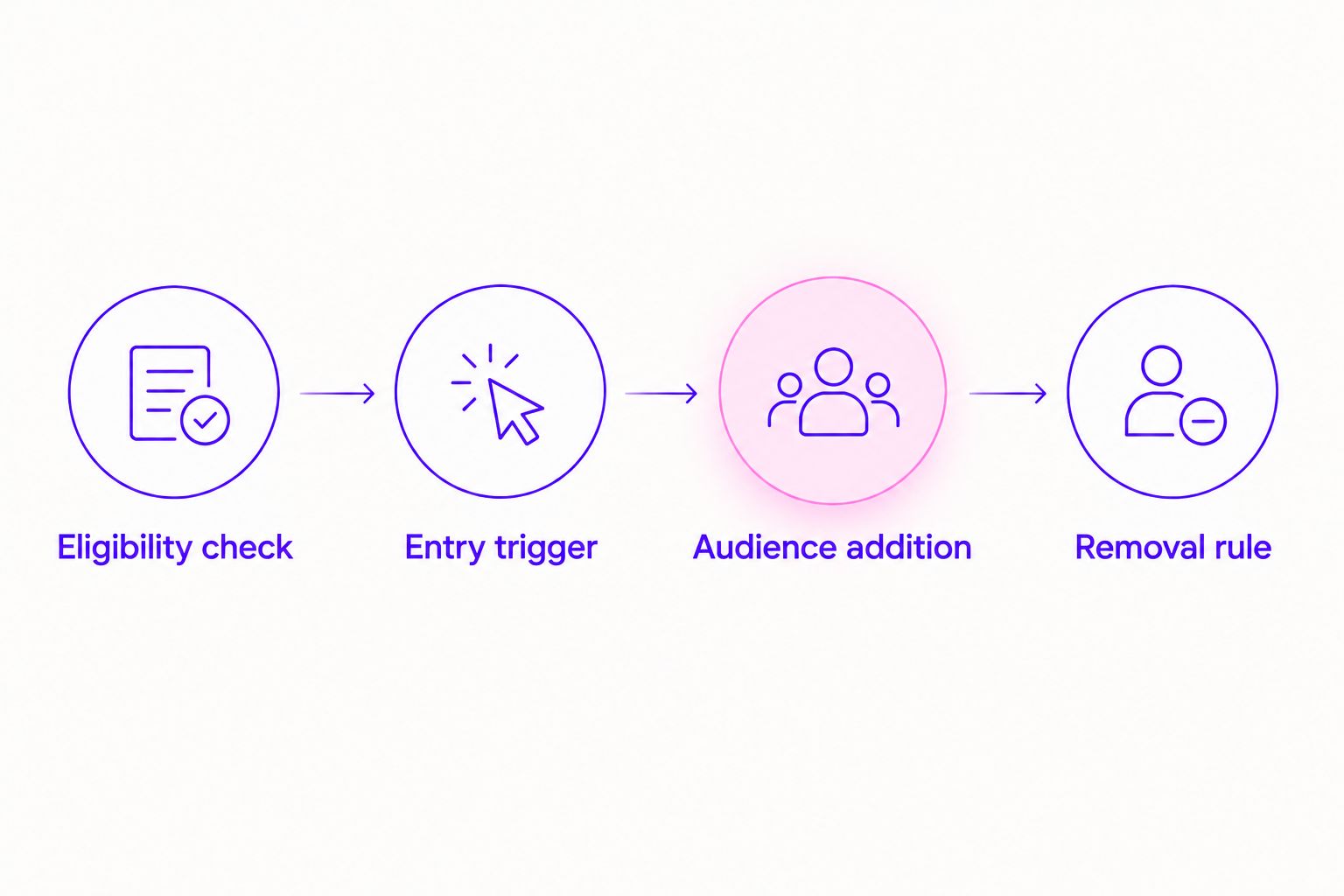
Expected result: An eligible contact enters through the selected tag event and reaches the configured audience action. The automation history shows whether the action completed or produced an error.
Test before enrolling the full segment
- Prepare 3 test contacts you are authorized to process: an eligible subscriber, an ineligible contact, and an existing buyer.
- Trigger the eligibility process for each test contact. Do not manually tag the ineligible contact just to make the test pass.
- Confirm that only the eligible subscriber reaches the subscriber-add action. Route the buyer according to your documented buyer rule.
- Check the contact's automation history and the audience's status in Meta before activating wider enrollment.
These are process tests, not match-rate tests. Meta does not provide a named list of matched audience members for you to inspect.
Expected result: Your records show why each test contact entered, stopped, or followed a different path. A successful action means the integration processed the request, not that an ad reached that person.
Enroll existing subscribers deliberately
A tag-added trigger handles a new tag event. It does not automatically collect everyone who already had the tag before the automation became active.
Review the existing segment, remove ineligible contacts, and use ActiveCampaign's contact enrollment controls to add the approved segment to the automation. Check that manually enrolled contacts cannot bypass an eligibility condition you placed only upstream of the trigger.
Do not remove and reapply tags across the entire database as a shortcut. Other automations can respond to those same changes.
Removal rules and campaign settings
Build the exit automation
- Create a separate automation using Tag is removed for the
ads_eligibletag, or another explicit event representing lost eligibility. - Add Remove from Facebook Custom Audience and select the same subscriber destination used by the addition workflow.
- Connect your permission-management process to this exit rule. Include any other event that ends eligibility under your documented audience policy.
- Test removal with an authorized test contact that previously passed through the add workflow.
An email unsubscribe and an objection to advertising use are not interchangeable. Define what each event means for your business and applicable requirements. If your policy removes email unsubscribers from advertising audiences, encode that rule explicitly.
Expected result: The contact's automation history records the removal action against the correct audience. Allow for processing rather than treating the request as an instant audience change.
Apply the audience in Meta Ads Manager
Open the intended campaign's ad set and configure the subscriber audience for the role you need. Review whether the campaign setup treats it as a targeting restriction or an audience suggestion; expansion settings affect who can receive ads.
Add the buyer audience under the applicable Custom Audience exclusions when you want to exclude existing owners. Creating a buyer audience alone does not exclude anyone from a campaign.
Expected result: The published ad set reflects your intended audience use and buyer exclusion. For a 2026 review, inspect the actual published settings rather than relying on an old setup checklist.
Second workflow: update audiences when someone buys
A purchase gives you a useful second workflow: add the customer to a buyer audience, then remove them from the subscriber sales audience if your campaign rules call for it.
- Have your checkout or existing purchase integration apply the
program_buyertag only after a confirmed purchase. - Use Tag is added with that buyer tag as the automation trigger.
- Add Add to Facebook Custom Audience and select the buyer destination.
- Add Remove from Facebook Custom Audience for the subscriber sales destination when buyers should leave it.
- Confirm that the buyer destination is excluded from the relevant acquisition ad sets.
Best for: Course creators who want enrollment ads to stop following people who already purchased that program. The benefit is clearer audience separation; the limitation is dependence on accurate purchase tagging and campaign exclusions.
Keep purchase measurement separate. Audience membership does not send a purchase conversion or establish ROAS. For that connection, use the Stripe to Meta Conversions API setup workflow.
Expected result: A confirmed buyer reaches the buyer-add action and, where required, the subscriber-removal action. Neither action substitutes for purchase reporting.
Troubleshooting
The ad account or audience is missing
Check which Facebook login authorized the connection and whether it has access to the intended assets. Reauthorize after an account owner corrects permissions, then reopen the action and verify the destination again.
New subscribers enter, but existing subscribers do not
Check whether the trigger depends on a new tag event. Review and enroll the existing eligible segment separately; do not assume historical tags will trigger a newly activated automation.
The action succeeds, but the audience stays small
An accepted request is not a confirmed match. Check field mapping, valid email values, audience processing status, and the eligible source segment before changing the campaign. Never upload extra sensitive information to improve matching.
Removed contacts keep returning
Inspect every automation that applies the eligibility tag or sends contacts to the audience. A form submission or recurring import can undo an exit rule. Make the permission decision authoritative across all entry paths.
Buyers still receive enrollment ads
Verify the purchase tag, buyer-add action, and published audience exclusion in that order. Check other active ad sets advertising the same program; one correctly configured campaign does not change another campaign's audience settings.
Customize your workflow
Once addition and removal work, expand by business event rather than creating a separate audience for every tag. Webinar registration, confirmed purchase, and a documented end to eligibility are useful starting points when the underlying data use is permitted.
Schedule 1 review per week during an active launch as a practical starting routine. Review failed actions, changed permissions, purchase tagging, and published exclusions. This is an operating recommendation, not a guaranteed update interval.
For your 2026 reporting, keep these questions separate:
- Connection: Did the automation process the audience request?
- Audience use: Did the campaign use the intended inclusion or exclusion?
- Business outcome: Did the advertising generate attributable sales and acceptable ROAS?
ZIVA Marketing's paid social advertising and marketing coaching serves course creators who need campaign decisions alongside technical setup. The advantage is support for the broader marketing work; the integration still requires account access, permitted data use, and ongoing checks.
FAQ
How do I connect ActiveCampaign to Meta ads?
Use ActiveCampaign's Facebook Custom Audiences automation actions to add and remove eligible contacts. Confirm action availability, authorize the correct account, and select the intended audience before testing.
Does the ActiveCampaign Meta ads integration sync every subscriber automatically?
No. Contacts must enter the automation and meet your eligibility rules. Existing subscribers need deliberate enrollment when they have not generated the trigger event.
Can I remove contacts from a Meta Custom Audience automatically?
Yes. Use a separate automation with the Remove from Facebook Custom Audience action. Trigger it when a contact loses eligibility under your documented rules.
Will every uploaded email match a Facebook or Instagram account?
No. A successful audience action does not guarantee a match or ad delivery. Check integration results separately from audience status and campaign performance.
Does syncing ActiveCampaign subscribers track course purchases?
No. Audience syncing manages audience membership, not purchase conversion reporting. Configure purchase measurement separately and use confirmed purchase data for buyer tagging.
Can spiritual and wellness businesses upload their whole email list?
Not automatically. Review permission, applicable requirements, and Meta's restrictions before uploading. Do not upload lists that reveal prohibited sensitive information, including health conditions or religious beliefs.
Why do buyers still see my course enrollment ads?
A buyer audience must be applied as an exclusion in the relevant campaign settings. Check the purchase signal, audience action, published exclusion, and other active campaigns promoting the same program.
One last thing
Test the exit before you expand the entry. An integration that adds contacts correctly but cannot reliably remove them is not ready for wider enrollment. Keep your 2026 workflow small until the full contact lifecycle works.